엄마 Umma means mum in Korean
Your mum’s recipes. Your fridge. Dinner.
It started with my mum’s recipes. I wanted her to record them once, in her own steps and words, so anyone could cook them with whatever is in their own kitchen.
Cook it the way she makes it.
The free iPhone beta opens on TestFlight soon, for up to 100 testers.
- iPhone iOS 17.2 or later
- Beta free to join
- Meta AI glasses in development

How it works
From her kitchen to yours, in three steps
-
Record it once
The cook writes the recipe as ingredients and numbered steps, with notes and warnings where they matter. Or she uploads a video of herself cooking it, and Umma drafts the steps with a short clip for each one.
She reviews every line of a draft. Nothing goes public until she approves it, and her name stays on the recipe.
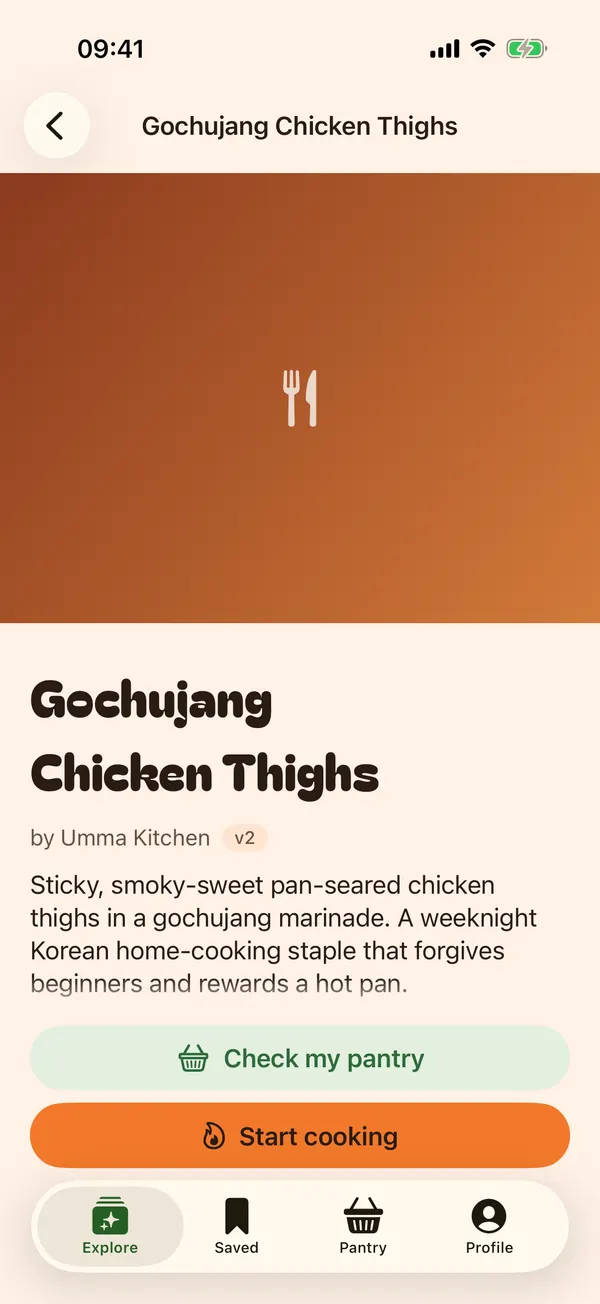
A published recipe keeps its cook’s name. -
Match your pantry
Tell Umma what’s in your kitchen by typing, speaking, or taking a photo. It suggests items and you confirm each one. Every recipe then shows what you have, what’s missing, and what it isn’t sure about.
A suggestion goes into your pantry only after you tap to confirm it.
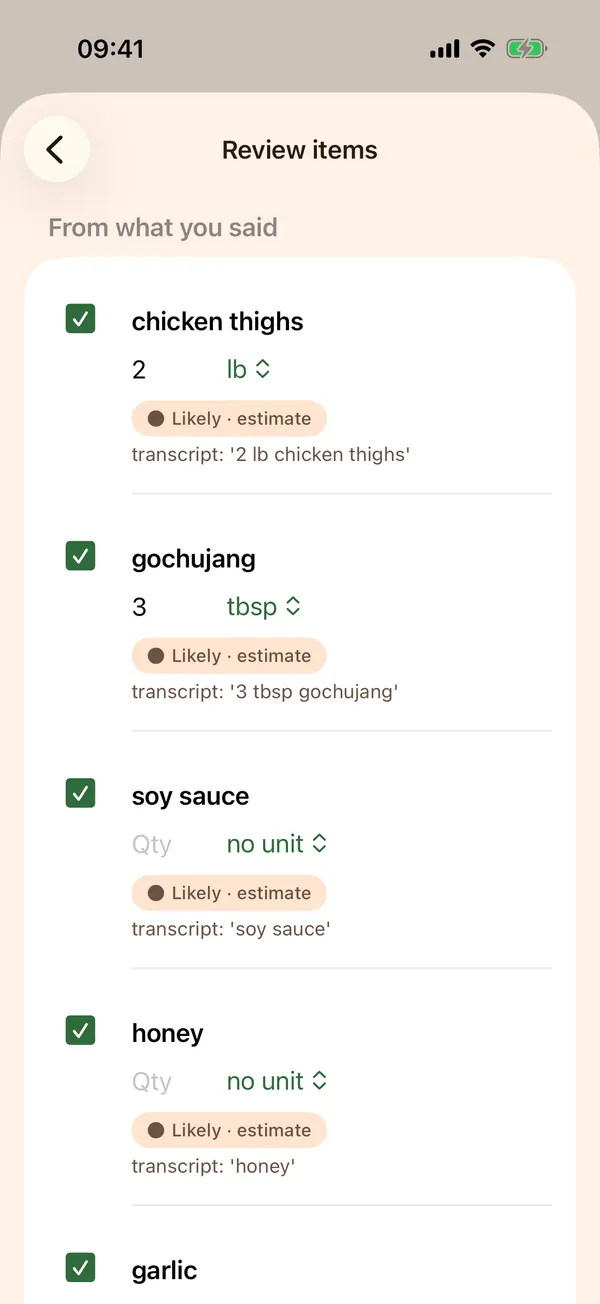
You confirm each item. 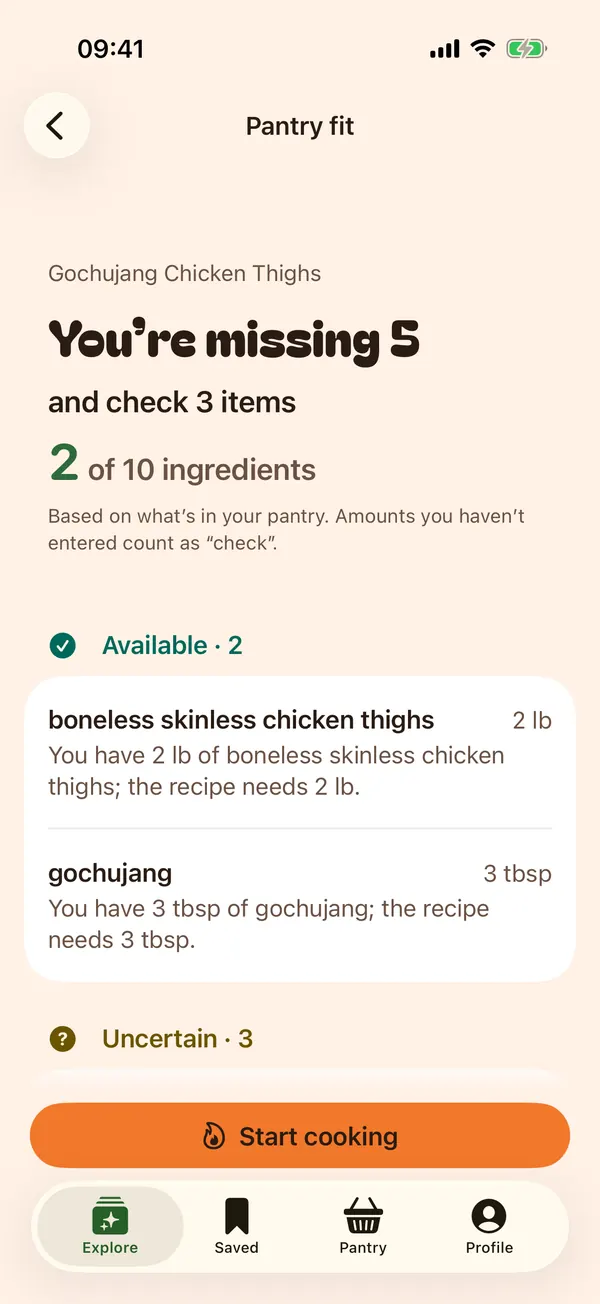
Then see what you can make. -
Cook with coaching
Go one step at a time and hear each step read aloud. Ask a question in the middle of a step and the coach answers from this recipe and this step.
You approve every swap, and the original recipe stays as she wrote it. Only you move on to the next step.
Things you can ask
- What does “fold” mean?
- Can I use lime instead of lemon?
- I’m out of honey.
- Read that again, slower.
- How do I know the chicken is done?


Safety and honesty
You always know who wrote what
Every step says where it came from, and fixed safety rules always win over the AI.
- Creator instructions
Written by the recipe’s cook.
- AI-extracted, creator-verified
Drafted from the cook’s video, then checked by her before publishing.
- AI-extracted
Drafted by AI. Never shown as the cook’s own words.
- AI suggested adaptation
A swap the coach proposed for your kitchen. You approve it first.
“I can’t tell from a description or photo whether food is cooked.”
Ask whether the chicken is done and that’s the answer you get, with what the recipe says to look for and how to check with a thermometer.
- Safe cooking temperatures come from a USDA table, never from the AI. Poultry is 165 °F (74 °C).
- Allergies come first. A “free-from” label never clears an allergy match, and Umma asks you to check the package.
- Recipes that pickle, cure or ferment keep their salt, acid and sugar as written.
- Nothing is saved to your pantry, swapped or published until you tap to confirm it.
Privacy
Two ways to run, both spelled out
Umma has a Free tier that keeps your voice on your iPhone, and a Paid tier that uses our servers for a more natural voice and for AI help. Here is what each one does with your data.
Free
Voice on your iPhone- Your voice
- Apple’s speech recognition turns your speech into text on the phone, and your phone reads steps aloud. No audio is sent to us.
- What you get
- Step-by-step cooking, voice commands, typed questions answered from the recipe, pantry matching, and swaps that come from the recipe’s own list.
- Server AI
- None. Nothing you say or photograph goes to an AI model.
Paid
Voice and AI on our servers- Your voice
- Audio streams to our server only while you’re speaking, for speech recognition and a natural reply voice. It’s processed in memory and never stored. Echo cancellation stays on your phone, so the coach can’t hear itself. You can switch voice back to your iPhone in Settings.
- AI help
- Coach answers, Look (ask about a photo), pantry photo scan and drafting recipes from a cook’s video, all through Google Gemini on a paid plan that doesn’t train on your data.
- Photos
- Held in memory while they’re analysed, then discarded.
During the beta every tester gets Paid at no cost. Server voice arrives with voice mode, which is still in development. Until then the beta keeps your voice on your iPhone.
On both tiers
- The camera and microphone run only when you start them. Nothing records in the background.
Kept until you delete it
- Your account, pantry, saved recipes and cooking sessions, plus recipes and videos you publish.
Never
- Sold, shared with advertisers, or used for tracking.
Deleting your account in the app removes all of it. Read the privacy policy.
For cooks
For the cook who knows it by heart
You know what “until glossy” looks like. Umma helps you pass it on.
Upload a video of yourself cooking, up to 15 minutes long, and Umma drafts the ingredients and steps with a timestamped clip for each step. You review every line before anything goes public.
Your name stays on the recipe. When you edit a published recipe it becomes a new version, so nobody’s dinner changes halfway through.
Your original video is kept until you delete it, which you can do from the recipe at any time.
Only upload video you made or have the right to share.
Meta AI glasses
We’re building support for Meta AI glasses, so you can check an ingredient and hear the next step without picking up your phone.
Glasses aren’t part of the beta, and the beta app doesn’t connect to them. Everything on this page works on an iPhone alone.
FAQ
Questions
Who can join the beta?
Anyone with an iPhone on iOS 17.2 or later, until the 100 tester places are taken. You install it through Apple’s free TestFlight app.
Does it cost anything?
No. The beta is free, and every tester gets the Paid tier at no cost. Nothing is charged before Umma launches on the App Store.
What’s the difference between Free and Paid?
Free runs your voice on your iPhone and uses no server AI. Paid adds a natural server voice and AI help: coach answers, Look, pantry photo scan and drafting recipes from video. The privacy section covers what each one does with your data.
Can it tell me if my food is safe to eat?
No. Umma never judges doneness or safety from a photo or a description. It tells you what the recipe says to look for and how to check with a thermometer.
What happens to the photos I take?
They’re analysed in memory to suggest ingredients or answer your question, then discarded. They aren’t saved on our servers or used to train AI.
Does it still work if the AI is unavailable?
Yes. You can still browse recipes, keep your pantry, see what you can make and step through a recipe. The app tells you when AI help is off.
Do I need Meta glasses?
No. Glasses support is in development and isn’t in the beta. Umma works on an iPhone alone.
How do I delete my account?
Open Profile in the app and delete your account. Your pantry, recipes, sessions and videos are deleted with it.
Something else? See Support.